











How to Publish Content Across Multiple Platforms with AI—Without Blind Auto-Posting
Yes, AI can remove much of the repetitive work from cross-platform publishing. The useful version, however, is not one identical post sent everywhere without review. Aye's official Create Multi-Platform Drafts Skill reads the latest MacRumors story in your signed-in browser, adapts it for Zhihu, Xiaohongshu, a WeChat image post, and X/Twitter, fills the supported editors, and stops before publishing or sending. You inspect each draft and decide what goes live.
Disclosure: This guide is published by the team behind Aye. Aye is a Chromium-based AI browser for Mac and Windows, and this is not an independent product review.
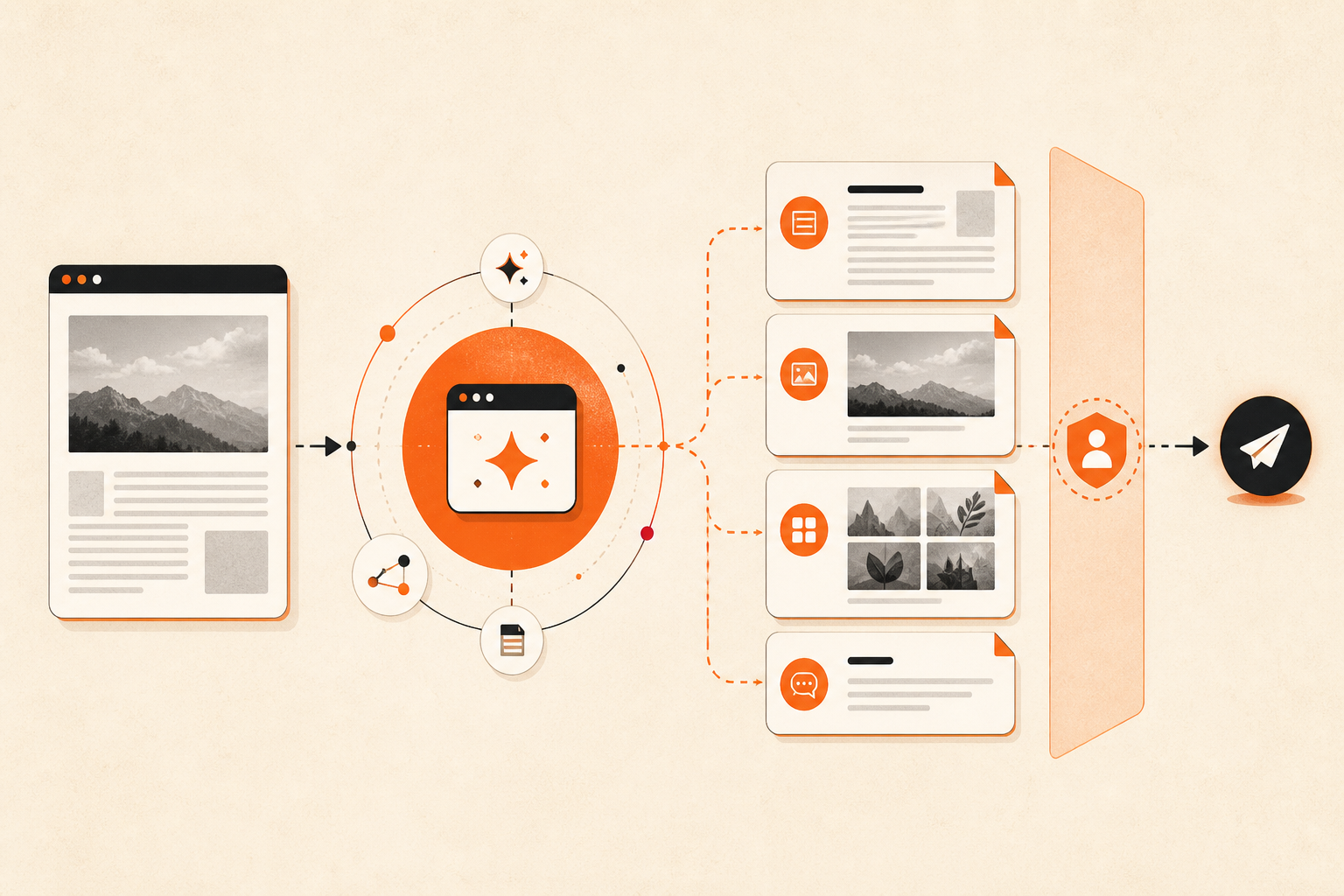
Conceptual workflow illustration; it is not a screenshot of a platform editor.
Cross-platform publishing is an adaptation problem
Copying the same article into four editors looks efficient until the differences appear. A long-form reader expects structure and evidence. An image-first community needs a strong first frame and a compact opening. A short-post feed rewards one clear takeaway. Titles, image order, topics, links, and paragraph rhythm all change with the destination.
That is why Aye treats one source as four drafting jobs instead of one broadcast job. The source facts stay consistent, while the presentation changes for the reader and editor on each platform.
What Aye prepares in one run
A Zhihu long-form draft
Aye creates a Chinese long-form draft with paragraph breaks, a precise title and opening, and a clear viewpoint or useful question angle. It preserves concrete names, facts, and numbers from the source. When the editor provides topic fields, the Skill can add a small set of relevant topics rather than broad traffic bait.
A Xiaohongshu image-note draft
The Xiaohongshu version is rebuilt around an image-first reading experience. The Skill uses source-article body images when available, keeps the title compact, puts reader value near the beginning, and adds only relevant topics or keywords. It does not search for unrelated replacement images.
A WeChat image-post draft
The combined workflow prepares a WeChat Official Account image post—not a full WeChat article. It can place multiple source images in the image-post editor, then fill a short title and description. A separate Aye Skill exists for a WeChat article draft, but it is not one of the four destinations in this combined run.
An X/Twitter short-post draft
The X version becomes one conversational short post with a specific takeaway, one source image when the image step succeeds, and at most a small number of relevant hashtags. The point is to write for a feed, not squeeze an article into a smaller box.
How to prepare four drafts in Aye
- Sign in to the destination platforms yourself and open Aye on Mac or Windows. Make sure you have the right to use the source text and images.
- Open Skills and choose Create Multi-Platform Drafts. The current built-in workflow is scoped to the latest MacRumors story.
- Start the Skill. Aye reads the source, works across pages and tabs, downloads eligible source-body images, and fills each supported editor in sequence.
- Check every destination. Confirm the title, facts, links, image order, paragraph breaks, topics, and account before you publish anything.
- Publish manually only after the draft fits the platform's current rules and your editorial standard.
A completed run means the supported editors contain reviewable, platform-specific drafts and remain unpublished. If an image cannot be downloaded, uploaded, or inserted, the workflow may continue with text and report that the image requirement was not met. It does not guarantee a persistent record in every platform's draft library.
Why the review gate matters
Platform rules are not interchangeable. X's Authenticity Policy restricts duplicative, irrelevant, and bulk activity. Zhihu's creator manual emphasizes useful, well-structured content with reliable sources. For commercial collaborations, Xiaohongshu's content review standard rejects title-body mismatch and low-information template content.
WeChat's current Official Account rules place restrictions on AI- or script-based automated creation and publishing and require appropriate labeling for generative-AI content. Check the rule that applies to your account and use case before posting an AI-assisted draft. If a platform's current policy does not permit the workflow, do not publish it.
The review step also catches problems no automation should guess away: an expired login, a changed editor, a CAPTCHA, a sensitive account prompt, an image you do not have permission to reuse, or a claim that needs a source. Aye hands sign-in, CAPTCHA, challenge pages, and critical submissions back to you rather than claiming to bypass them.
Schedule preparation, not unattended publication
Once a browser workflow works the way you want, Aye can save it as a reusable Skill. Scheduling supports one-time, interval, daily, and weekly runs. An Auto-run can start the drafting workflow at the selected time; it does not change the official Skill's draft-only boundary.
Scheduled runs still depend on the browser and account state. A run may wait behind another active AI task, require manual intervention, or be missed if automation is unavailable, the device is asleep, or the queue waits too long. Use scheduling to arrive at a prepared review queue—not to promise that every platform will publish unattended at an exact minute.
When Aye is the right fit
Choose Aye when the work happens inside real website editors and you want AI to understand a source page, adapt the content, move across tabs, and leave the final decision visible. It is especially useful for creators and small teams that repeat the same browser-based preparation workflow.
A conventional social scheduler may be a better fit when your priority is API-based publishing, a centralized editorial calendar, campaign analytics, or scheduled unattended delivery to a fixed list of supported networks. Aye's advantage is browser work and flexible, reviewable drafting—not a claim to replace every scheduler or support every platform.
Frequently asked questions
Does Aye automatically publish to all four platforms?
No. The official combined Skill is designed to prepare and fill drafts, then stop before publish, send, or submit. You review and complete the final platform action.
Can the built-in Skill use any article or any platform?
The current built-in workflow starts from the latest MacRumors story and targets Zhihu, Xiaohongshu, a WeChat image post, and X/Twitter. Aye can save proven Prompt Skills or recorded browser workflows, but a new source or destination should be tested rather than assumed to work universally.
Will a scheduled run publish the drafts later?
No. Scheduling starts the same draft-preparation workflow. It does not silently expand its permission to publish.
Where can I get Aye?
Aye is currently available for Mac and Windows. Visit the official Aye product page for the current Mac App Store and Microsoft Store links.
Start with one reviewable workflow
Install Aye, open Create Multi-Platform Drafts, and inspect how one source becomes four different editor-ready drafts. Keep the first run supervised, refine the instructions around your editorial standard, and schedule only the workflow you have already reviewed.